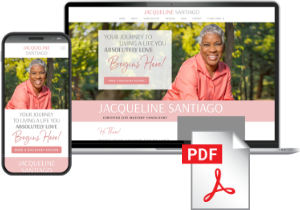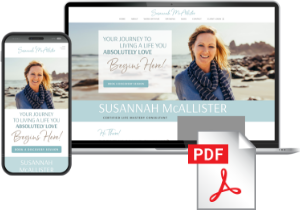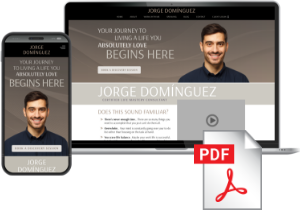
OPTION 1: Hire a Professional

When to hire a professional ...

THIS IS THE OPTION WE RECOMMEND FOR MOST COACHES.

If you are inexperienced in working with WordPress websites, if you are “technology shy”, if you don’t have a desktop or laptop computer, or if you’re looking to make more advanced customizations such as color changes, adding or removing sections, adding new modules, creating new pages, etc., then we HIGHLY recommend that you hire professional to install and personalize your website with your information. This can easily be done for a reasonable fee.

*** Please bookmark this page so you can find it again easily ***

Get Started With This Option

Don’t have someone to help you? Save time, money & stress.

Receive personalized support with free bonuses and marketing content from real, caring people.

Or if you already have a webmaster or someone to help you, follow these prep steps first:

STEP 1: Get Organized

IMPORTANT – Find THE DESIGN YOU SELECTED below and download the Customization Checklist.

Use this form to write down your customization information. You will need this Checklist to record the information from each step below, and you will use the information you fill out on this Checklist to guide you when you are ready to hire a professional in Step 8.

If you are not comfortable with this step, you can request the professional you hire to assist you or do this for you.

Consider using YOUR NAME, (Example: SuzannaDiaz.com or JoshuaMillerCoaching.com) You can also use a business name or phrase (Example: LiveYourBestLife.com or MyIgnitedLife.com)

(GoDaddy.com is a recommended source, but you can purchase your website name from other providers if you wish).

Be sure to record your login and password from where you purchased your website name as the professional you hire will need this info to connect your website, and you’ll need this for Step 3.

If you are not comfortable with this step, you can request the professional you hire to assist you or do this for you.

(Examples using the website addresses above: Suzanna@SuzannaDiaz.com, Joshua@JoshuaMillerCoaching.com, Jane@LifeYourBestLife.com, Reuben@MyIgnitedLife.com)

A domain email is highly recommended as a professional best practice, but it is not required. You can choose to use a gmail or other existing email address.

To create your domain email, go to Google Workspace and follow their instructions. You will need to have your login and password for GoDaddy (or wherever you purchased your website name from) handy.

If you are not comfortable with this step, you can request the professional you hire to assist you or do this for you.

You need this so that your prospects can schedule their Discovery Sessions with you based on the days and times you choose to be available.

Go to Calendly.com and create a free account. They also have a paid upgrade that gives you nice options for automatic reminders, etc. that you may want to consider as your business grows. You can upgrade at any time, but a free account will be adequate to get you started.

Record the login and password for your Calendly account as you will need to share it with the professional you hire. They will locate the embed code and install it on your website.

We recommend that you arrange for a professional photo session, or at the very least, have someone with photo experience take your photo. This is an investment in your business that will serve you long term. Consider having several poses taken, so you can use one for your “Home” page and one for your “About Page”, but you can use the same photo for both if you wish. We have provided some photo tips on your Customization Checklist.

Choose the images you want to use and have them handy. You will send these to the professional you hire to size them and place on your website.

Make sure you complete the personalization fields on your checklist which includes creating your 1-2 paragraph bio that is specifically about you, and 1-3 short testimonials.

If you don’t have testimonials yet, we have provided some alternative copy you can use instead on your Customization Checklist.

Add your bio and testimonials to the Customization Checklist.

For your convenience, we have complied a short list of outside professionals and services who can assist you with hosting, installation, and everything else you need to get your website up and running, or you can find other professionals on your own – the choice is yours.


LifeCoachElevate.com

A service created by coaches exclusively for life coaches. Top level, ongoing love and care support from real people – not chat bots! They offer website hosting, installation & customization services plus branding services, custom web design, marketing support, virtual assistant services and much more!


Note: Available for coaches in the USA and Canada only.

You can also find International freelancers to assist you through these online hiring services:

Search for WordPress Website Support in the Country you are located in.

*** Provide the professional you choose to hire with your Completed Customization Checklist & the Scope of Work Form Below ***

IMPORTANT: Check with the professional you hire before you purchase any website hosting services. They may already provide quality hosting options. 

If your professional does not offer hosting, we recommend that you use WPEngine.com as it has a “hack-proof” security guarantee and some automated services that can save you time and money in the long run. This is the same hosting service Brave Thinking Institute uses.

  • Have your professional assist you in creating your WPEngine hosting account, and install your website there
  • Make sure they also set up your SSL Certificate.
  • Please note – we have received recent feedback that GoDaddy cannot fully support the hosting of BTI WordPress websites. There are conflicts with their proprietary system when it comes to the site import and installation process. Although GoDaddy IS a preferred provider for purchasing your website domain, we do not recommend hosting with them at this time. We will continue to post any new information as it comes to light.   


One You Have Made a Hiring Decision:

  1. Complete a written or online purchase agreement with the professional you hire as webmaster.
  2. Forward them the delivery email you received with your .zip file link.
  3. Email them and attach your completed “Customization Checklist,” (be sure to include ALL pages which also includes logins and passwords for external accounts, and this page, “Important Site Installation Info for Webmaster”).
  4. Attach and email your photos to your webmaster.


*Please note: Brave Thinking Institute does its best to ensure that any suggested companies, services, or individuals are reputable and capable of handling the services they are hired to provide. However, any agreement is strictly between you and the third party you hire. As stated in the Terms of Use you signed, Brave Thinking Institute is not responsible for or liable in any way for the outcome of services contracted by you and any third party.

Using Your Customization Checklist, go through each item with your Professional to be sure the proper updates have been made.

Once the work is completed, your new website is ready to promote!